| ★ |  Use These 2 Filters to Quickly Fix Out of Focus Images in Photoshop Use These 2 Filters to Quickly Fix Out of Focus Images in Photoshop | Easy Photoshop @easyphotoshop3189 | 1.9K | Pakistán | |
| 2 | 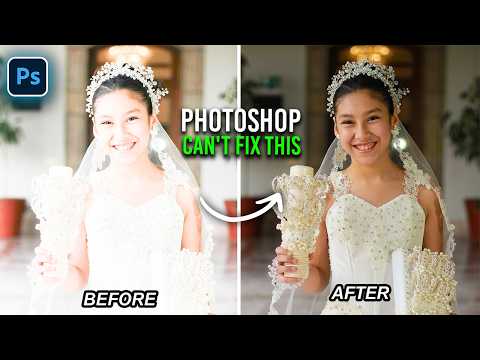 Stop Using Photoshop to Fix Overexposed Photos Try Camera Raw Instead Stop Using Photoshop to Fix Overexposed Photos Try Camera Raw Instead | Easy Photoshop @easyphotoshop3189 | 22.4K | Pakistán | 90 |
| 7 |  I Wish I Knew About This Photoshop Blend Mode Trick Earlier I Wish I Knew About This Photoshop Blend Mode Trick Earlier | Easy Photoshop @easyphotoshop3189 | 21.8K | Pakistán | 89 |
| 5 |  Try These 2 Blend Mode Tricks to Improve Photos Fast in Photoshop Try These 2 Blend Mode Tricks to Improve Photos Fast in Photoshop | Easy Photoshop @easyphotoshop3189 | 19.8K | Pakistán | 90 |
| 1 | 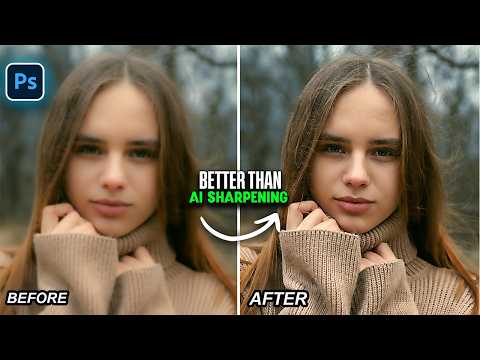 2 Layer Quick Sharpening Technique That Works Better Than AI in Photoshop 2 Layer Quick Sharpening Technique That Works Better Than AI in Photoshop | Easy Photoshop @easyphotoshop3189 | 12.5K | Pakistán | 91 |
| 20 |  These 2 Adjustment Layers Are Better Than Contrast in Photoshop These 2 Adjustment Layers Are Better Than Contrast in Photoshop | Easy Photoshop @easyphotoshop3189 | 7.3K | Pakistán | 88 |
| 18 |  3 Photoshop Tricks I Actually Use Every Time | Part 29 3 Photoshop Tricks I Actually Use Every Time | Part 29 | Easy Photoshop @easyphotoshop3189 | 5.5K | Pakistán | 88 |
| 8 |  Try These 3 Quick Solutions for Common Photo Problems in Photoshop | Part 13 Try These 3 Quick Solutions for Common Photo Problems in Photoshop | Part 13 | Easy Photoshop @easyphotoshop3189 | 4.4K | Pakistán | 89 |
| 13 |  Photoshops New AI Sharpen vs Manual Sharpening Which Is Better Photoshops New AI Sharpen vs Manual Sharpening Which Is Better | Easy Photoshop @easyphotoshop3189 | 3.9K | Pakistán | 88 |
| 9 |  Quick Way to Recover Skin Details & Color from Blown Highlights in Photoshop Quick Way to Recover Skin Details & Color from Blown Highlights in Photoshop | Easy Photoshop @easyphotoshop3189 | 3.8K | Pakistán | 89 |
| 14 |  Sharpen Soft Photos in Photoshop – Advanced Tutorial Sharpen Soft Photos in Photoshop – Advanced Tutorial | Dan - Ministry of Photo @dancantero | 3.5K | Australia | 88 |
| 3 |  Try This Trick to Get Crisp and Detailed Colors in Photoshop Try This Trick to Get Crisp and Detailed Colors in Photoshop | Easy Photoshop @easyphotoshop3189 | 3.4K | Pakistán | 90 |
| 12 |  4 Time Saving Camera Raw Features & Tricks You Need to Try | Part 8 4 Time Saving Camera Raw Features & Tricks You Need to Try | Part 8 | Easy Photoshop @easyphotoshop3189 | 3.4K | Pakistán | 89 |
| 16 |  4 Photoshop Adjustment Layer Tricks That Actually Make a Difference 4 Photoshop Adjustment Layer Tricks That Actually Make a Difference | Easy Photoshop @easyphotoshop3189 | 3.2K | Pakistán | 88 |
| 4 |  2 Quick Ways to Remove JPG Compression Artifacts in Photoshop & Camera Raw 2 Quick Ways to Remove JPG Compression Artifacts in Photoshop & Camera Raw | Easy Photoshop @easyphotoshop3189 | 2.7K | Pakistán | 90 |
| 11 |  Fix These Common Skin Issues with Just One Layer in Photoshop Fix These Common Skin Issues with Just One Layer in Photoshop | Easy Photoshop @easyphotoshop3189 | 2.5K | Pakistán | 89 |
| 10 |  Easy and Quick Way to Fix AI Image Softness in Photoshop Easy and Quick Way to Fix AI Image Softness in Photoshop | Easy Photoshop @easyphotoshop3189 | 1.6K | Pakistán | 89 |
| 19 |  3 Simple Blur Effects That Look Clean and Creative in Photoshop | Part 19 3 Simple Blur Effects That Look Clean and Creative in Photoshop | Part 19 | Easy Photoshop @easyphotoshop3189 | 1.6K | Pakistán | 88 |
| 17 |  Use This Feature to Fix Dull Hair and Bring Back Shine in Photoshop Use This Feature to Fix Dull Hair and Bring Back Shine in Photoshop | Easy Photoshop @easyphotoshop3189 | 1.1K | Pakistán | 88 |
| 6 |  3 Quick Fixes Using Only the New Reflection Removal Feature in Photoshop 3 Quick Fixes Using Only the New Reflection Removal Feature in Photoshop | Easy Photoshop @easyphotoshop3189 | 1.0K | Pakistán | 89 |
| 15 |  Transform your Photos - Apply Depth of Field (Blurry Background) to your photos in PHOTOSHOP - Easy Transform your Photos - Apply Depth of Field (Blurry Background) to your photos in PHOTOSHOP - Easy | | 3 | Reino Unido | 88 |