| ★ |  Day 80:Use L Cut and J Cut to add a professional Touch in Your Videos. #davinciresolve #videoeditor Day 80:Use L Cut and J Cut to add a professional Touch in Your Videos. #davinciresolve #videoeditor | Guyfromfilms @guyfromfilms | 8.9K | — | |
| 11 |  Day 59: Apply Slow Shutter Effect in Davinci Resolve. #davinciresolve #videoediting #videoeditor Day 59: Apply Slow Shutter Effect in Davinci Resolve. #davinciresolve #videoediting #videoeditor | Guyfromfilms @guyfromfilms | 13.3K | — | 88 |
| 15 |  Day 82: Pro Tip for Searching Effect in the Effects Panel. #davinciresolve #videoediting Day 82: Pro Tip for Searching Effect in the Effects Panel. #davinciresolve #videoediting | Guyfromfilms @guyfromfilms | 12.4K | — | 87 |
| 5 |  Day 55: How to do Speed Ramp in Davinci Resolve. #videoediting #davinciresolve #videoeditor Day 55: How to do Speed Ramp in Davinci Resolve. #videoediting #davinciresolve #videoeditor | Guyfromfilms @guyfromfilms | 9.3K | — | 89 |
| 14 |  Day 50: Remove Vocal from Your Music in Davinci Resolve. #davinciresolve #videoeditor #videoediting Day 50: Remove Vocal from Your Music in Davinci Resolve. #davinciresolve #videoeditor #videoediting | Guyfromfilms @guyfromfilms | 7.5K | — | 87 |
| 3 |  Day 79:Create Shutter Transition In Davinci Resolve. #davinciresolve #videoediting #videoeditor Day 79:Create Shutter Transition In Davinci Resolve. #davinciresolve #videoediting #videoeditor | Guyfromfilms @guyfromfilms | 5.4K | — | 89 |
| 16 |  Day 78: Top 5 Shortcuts You Need To Edit Faster. #davinciresolve #videoediting #videoeditor Day 78: Top 5 Shortcuts You Need To Edit Faster. #davinciresolve #videoediting #videoeditor | Guyfromfilms @guyfromfilms | 3.5K | — | 87 |
| 8 | 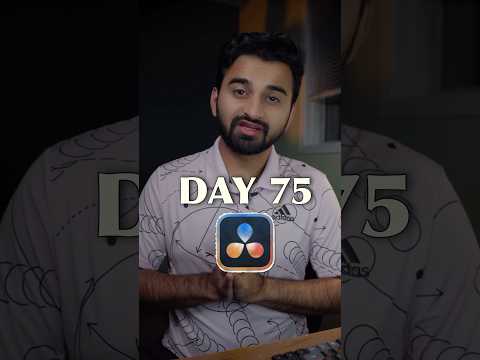 Day 75: Text Behind the Subject In Both Free and Studio Version. #davinciresolve #videoediting Day 75: Text Behind the Subject In Both Free and Studio Version. #davinciresolve #videoediting | Guyfromfilms @guyfromfilms | 3.0K | — | 89 |
| 2 |  Day 76: Make Your Audio Sound Perfect on Every Device or Platform. #davinciresolve #videoediting Day 76: Make Your Audio Sound Perfect on Every Device or Platform. #davinciresolve #videoediting | Guyfromfilms @guyfromfilms | 2.2K | — | 89 |
| 18 |  Day 71: Delete Gaps or Hmms and Umms From Your Video in #davinciresolve #videoediting #videoeditor Day 71: Delete Gaps or Hmms and Umms From Your Video in #davinciresolve #videoediting #videoeditor | Guyfromfilms @guyfromfilms | 1.7K | — | 86 |
| 9 | 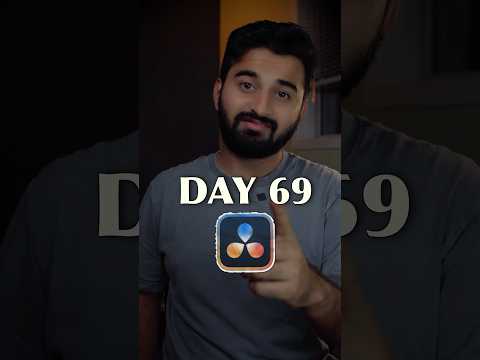 Day 69: New and Precise Way to White Balance Your Footage. #davinciresolve #videoediting Day 69: New and Precise Way to White Balance Your Footage. #davinciresolve #videoediting | Guyfromfilms @guyfromfilms | 1.2K | — | 88 |
| 4 |  Day 63 : Get the Film Look on Your iPhone Footage in Davinci Resolve. #davinciresolve #videoediting Day 63 : Get the Film Look on Your iPhone Footage in Davinci Resolve. #davinciresolve #videoediting | Guyfromfilms @guyfromfilms | 1.2K | — | 89 |
| 1 |  Day 60: Text Reveal Effect Using Mask in Davinci Resolve. #davinciresolve #videoediting Day 60: Text Reveal Effect Using Mask in Davinci Resolve. #davinciresolve #videoediting | Guyfromfilms @guyfromfilms | 1.0K | — | 92 |
| 13 |  Day 56: Create Percentage Text Animation in Davinci Resolve. #davinciresolve #videoediting Day 56: Create Percentage Text Animation in Davinci Resolve. #davinciresolve #videoediting | Guyfromfilms @guyfromfilms | 877 | — | 87 |
| 6 |  Day 51 : Apply Underwater Effect to Your Audio in Davinci Resolve. #davinciresolve #videoediting Day 51 : Apply Underwater Effect to Your Audio in Davinci Resolve. #davinciresolve #videoediting | Guyfromfilms @guyfromfilms | 828 | — | 89 |
| 20 | 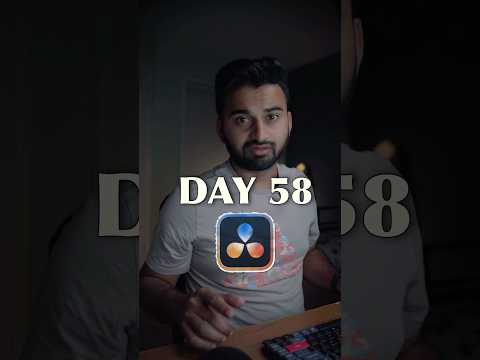 Day 58 : Stabilize Your Videos With Color Page In Davinci Resolve. #davinciresolve #videoediting Day 58 : Stabilize Your Videos With Color Page In Davinci Resolve. #davinciresolve #videoediting | Guyfromfilms @guyfromfilms | 815 | — | 86 |
| 12 |  Day 61 : Copy The Colors From Your Favourite Movie in Davinci Resolve. #davinciresolve Day 61 : Copy The Colors From Your Favourite Movie in Davinci Resolve. #davinciresolve | Guyfromfilms @guyfromfilms | 685 | — | 88 |
| 7 |  Day 64:⚠️⚠️Get the LUT Link in Bio. Generate Your own LUTs in Davinci Resolve. #davinciresolve Day 64:⚠️⚠️Get the LUT Link in Bio. Generate Your own LUTs in Davinci Resolve. #davinciresolve | Guyfromfilms @guyfromfilms | 665 | — | 89 |
| 10 | 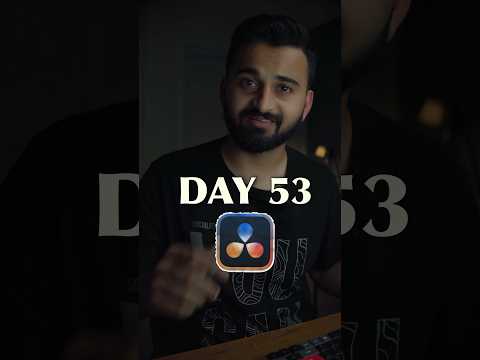 Day 53 : Create Text Shuffling effect in Davinci Resolve. #davinciresolve #videoediting #videoeditor Day 53 : Create Text Shuffling effect in Davinci Resolve. #davinciresolve #videoediting #videoeditor | Guyfromfilms @guyfromfilms | 591 | — | 88 |
| 17 |  Day 54:Make Your Text or Image Follow Your Subject in DaVinci Resolve. #davinciresolve #videoeditor Day 54:Make Your Text or Image Follow Your Subject in DaVinci Resolve. #davinciresolve #videoeditor | Guyfromfilms @guyfromfilms | 560 | — | 86 |
| 19 |  Day 48 : Apply Fade Transition to every audio clip Automatically in #davinciresolve #videoediting Day 48 : Apply Fade Transition to every audio clip Automatically in #davinciresolve #videoediting | Guyfromfilms @guyfromfilms | 469 | — | 86 |